ACP chat agents
Nakama can run a Claude or Codex agent as the chat agent for a profile. The agent runs on the Nakama server and uses the Agent Client Protocol (ACP) to send replies and tool updates to Nakama.
Why use an ACP agent
Use an ACP agent when you want a coding agent to handle a profile's chat turns. Nakama still manages the profile, chat, and tool access. The ACP agent runs its own model loop and returns its updates to the chat.
ACP agents can use the Nakama tools assigned to the profile. They can also edit files inside that profile's workspace. Nakama denies shell commands and file edits outside that workspace.
Create an agent that uses ACP
Only platform admins can create agents and change an agent's chat agent.
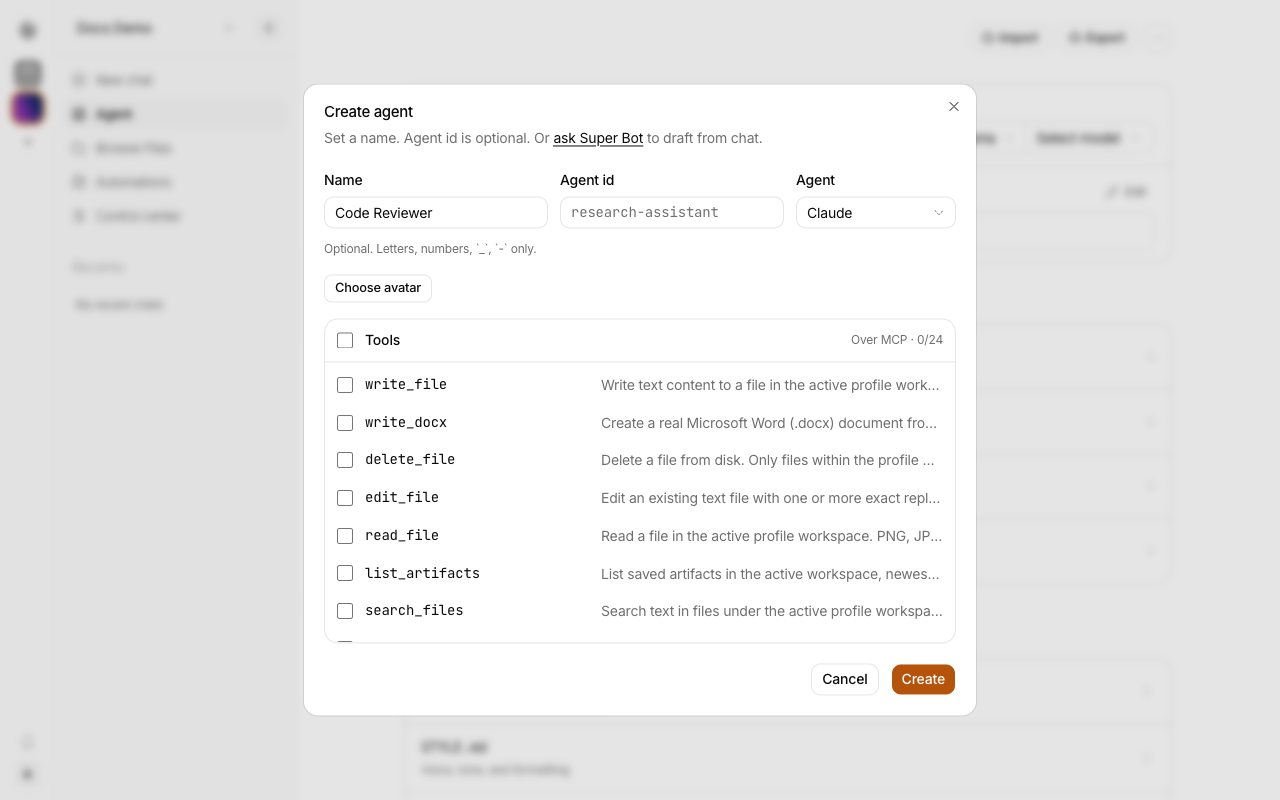
- In the left rail, click + to open Create agent.
- Type a Name. Agent id is optional.
- In Agent, select Claude or Codex.
- Optional: choose an Avatar, and select the Tools the agent can use. The ACP agent gets these tools over MCP.
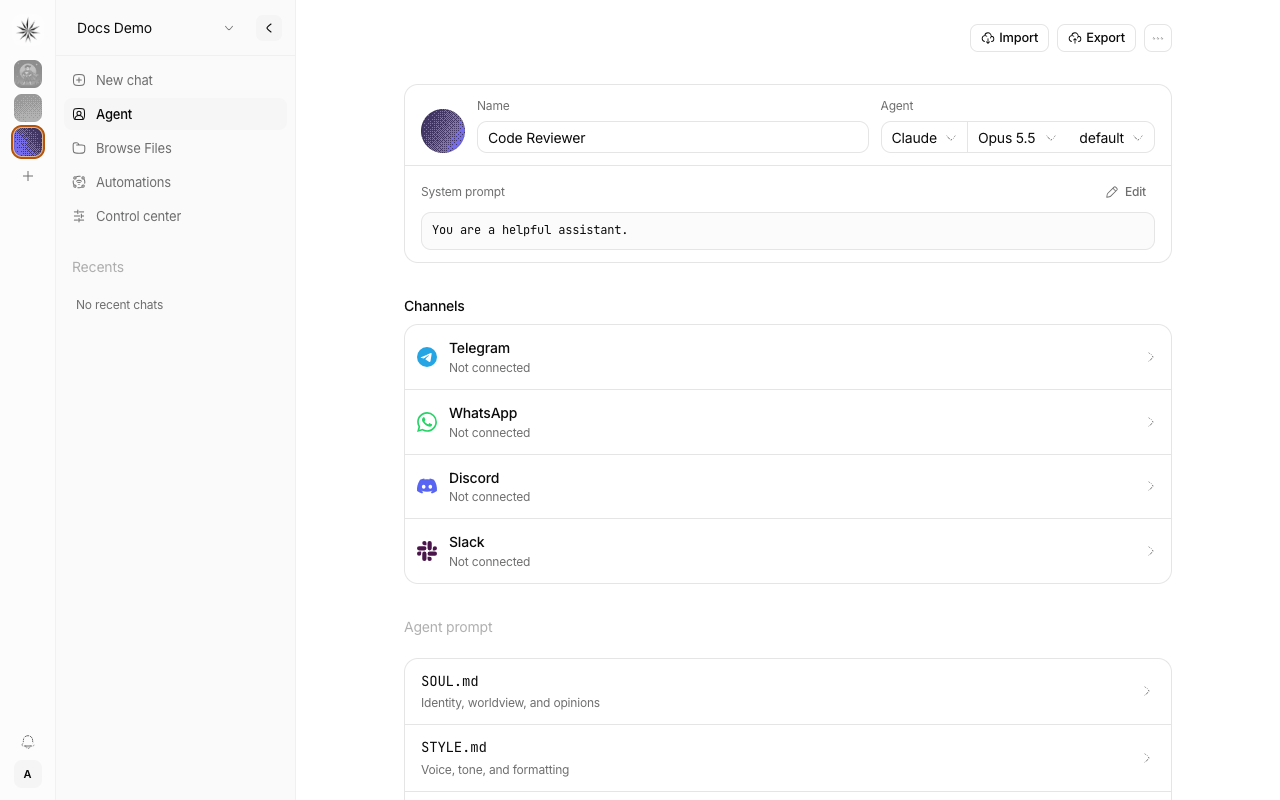
- Click Create. Nakama opens the new agent's page.
- Select the model and the reasoning effort in the menus next to the agent. The choices come from the selected ACP agent.
- With the agent selected in the left rail, click New chat and send a message.
Change an existing agent
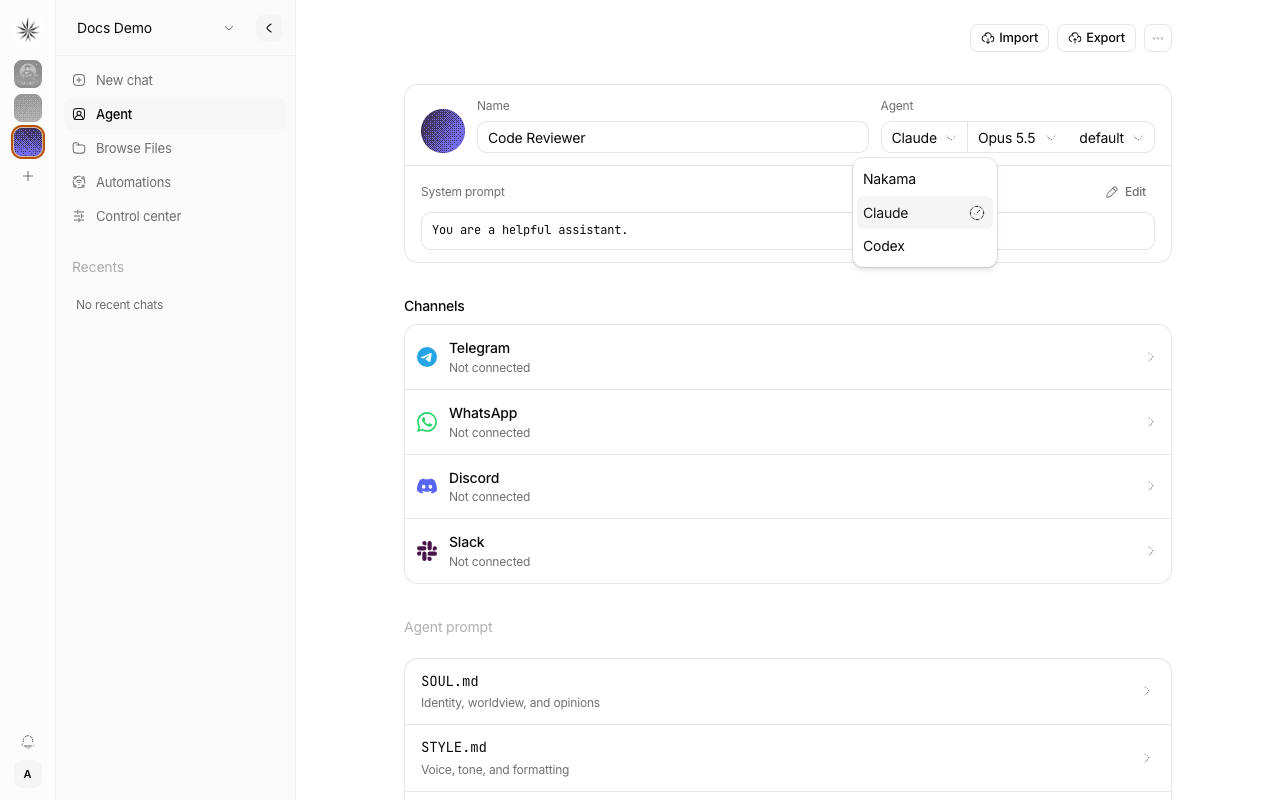
- Click Agent in the sidebar and select the agent in the left rail.
- Open the Agent menu next to Name.
- Select Claude or Codex. The change saves at once.
In chat, the composer shows the model and reasoning choices that the selected ACP agent supports.
Server requirements
The ACP agent runs as a child process on the machine that runs Nakama. The server image includes the Claude and Codex ACP packages. The agent may still need its own provider credentials or sign-in on that machine before it can answer.
Keep the server able to start child processes. In Docker deployments, configure credentials for the container, not only for the host. Follow the selected agent's instructions for authentication and model access.
An ACP agent uses the profile's workspace as its working directory. Nakama gives it access only to tools assigned to that profile. Review those tools before you enable an ACP agent for a profile.
Change back to Nakama
Open the agent's Agent menu next to Name and select Nakama. New chat turns then use Nakama's built-in agent loop.