Self-improving skills
Your agents get better at repeat work when they can save what worked as a skill — a short playbook the bot can follow next time.
Self-improving skills is Nakama's approach to that: agents can create and update profile skills after complex tasks, while your team keeps control when you need it.
Why this matters
Without this, every win stays in one chat. The same debugging steps, deploy checklist, or customer workflow gets explained again from scratch.
With self-improving skills:
- Less repeat explanation — the agent captures a workflow once and reuses it when a similar request comes up.
- Cleaner profiles — procedures live in skills instead of bloating the main prompt.
- Team safety — org admins can require approval before a new or changed skill affects future behavior.
- Safety net after complex work — optional Learn after a turn can catch missed saves without silently changing skills.
Think of it as the agent learning how to do the job, while you decide whether that learning goes live immediately or waits for a quick review.
How it works
Complex task succeeds  →  Agent saves a skill (or review suggests one)  →  Skill matches on later chats
                              ↓
(optional) Org admin approves- During chat — after a hard problem, recovery, or correction, the agent may offer to save the approach as a skill (for example, a deploy checklist or support triage flow).
- On demand with
/learn— when you already know the material (notes, a docs URL, a local folder, or “what we just did”), type/learn …in web or CLI chat to turn it into a skill now. See Learn from sources. - After complex turns (optional) — when Learn after a turn is on, Nakama may review the finished turn in the background and either show an Apply suggestion in chat or stage a proposal for an org admin.
- On later turns — when someone asks for something similar, Nakama can load that skill and follow the saved steps.
- Optional gate — if write approval is on, skill changes wait in a proposal queue until an org admin approves or rejects them.
Skills hold procedures (how to do something). Profile memory holds facts about the user (preferences, context). Keep preferences in memory; keep repeatable workflows in skills.
Where it works
| Channel | Agent can update skills? | Learn after a turn? |
|---|---|---|
| Web chat | Yes | Yes (when enabled) |
| CLI chat | Yes | Yes (review may run; Apply is web-first) |
| Discord, Telegram, WhatsApp, Slack | No | Yes (when enabled) |
| Automations / scheduled runs | No | No |
Org viewers can read chat but cannot run agents, so they cannot trigger skill updates or Apply suggestions.
Every profile receives the default bundled skills after sync, including manage-skills, so skill-authoring capability is available without assigning that skill manually. Super Bot also receives its Super Bot-specific skills.
Learn from sources
Crystallization captures a workflow after a hard turn. /learn is the explicit “turn this into a skill now” path when you already have the material.
In web or CLI chat (not Telegram, WhatsApp, Discord, Slack, or automations), type:
/learn filing an expense: open the portal, New > Expense, attach the receipt, submit
/learn https://docs.example.com/api/quickstart
/learn how I just deployed the staging server
/learn the REST client in my project docs, focus on auth + pagination
Bare /learn (no argument) after a conversation distills the workflow you just finished. As the first message in a session it asks what to learn from — unless you already attached a file or image, which counts as the source.
What happens:
- Nakama expands
/learninto a standards-guided turn (same house rules as hand-authored skills). - The agent gathers sources with tools it already has (
read_file,search_files,web_fetch, or the current conversation). - It saves through
skill_manage(create or patch). If write approval is on, that stages a proposal for an org admin — same gate as other agent skill writes.
Large books or doc corpora become a lean SKILL.md plus references/ files (and/or the knowledge base), not one giant skill body. Re-running /learn on the same topic should update the existing skill instead of creating a near-duplicate.
In the web composer, / lists /learn as a reserved command so it is not treated as a skill name. In the CLI, /learn appears in slash autocomplete the same way.
Write approval (optional)
By default, skill changes apply immediately. Turn on write approval when you want a human check before creates, edits, or deletes affect the live skill catalog — similar in spirit to org memory proposals, but for per-profile workflows.
Turn it on
Org admins: Control center → Workspace → Organization → Skill write approval → Gate settings.
- Flip the toggle to require approval for skill writes org-wide.
- Optionally override per profile: flip that profile's switch. Use org default follows the org again.
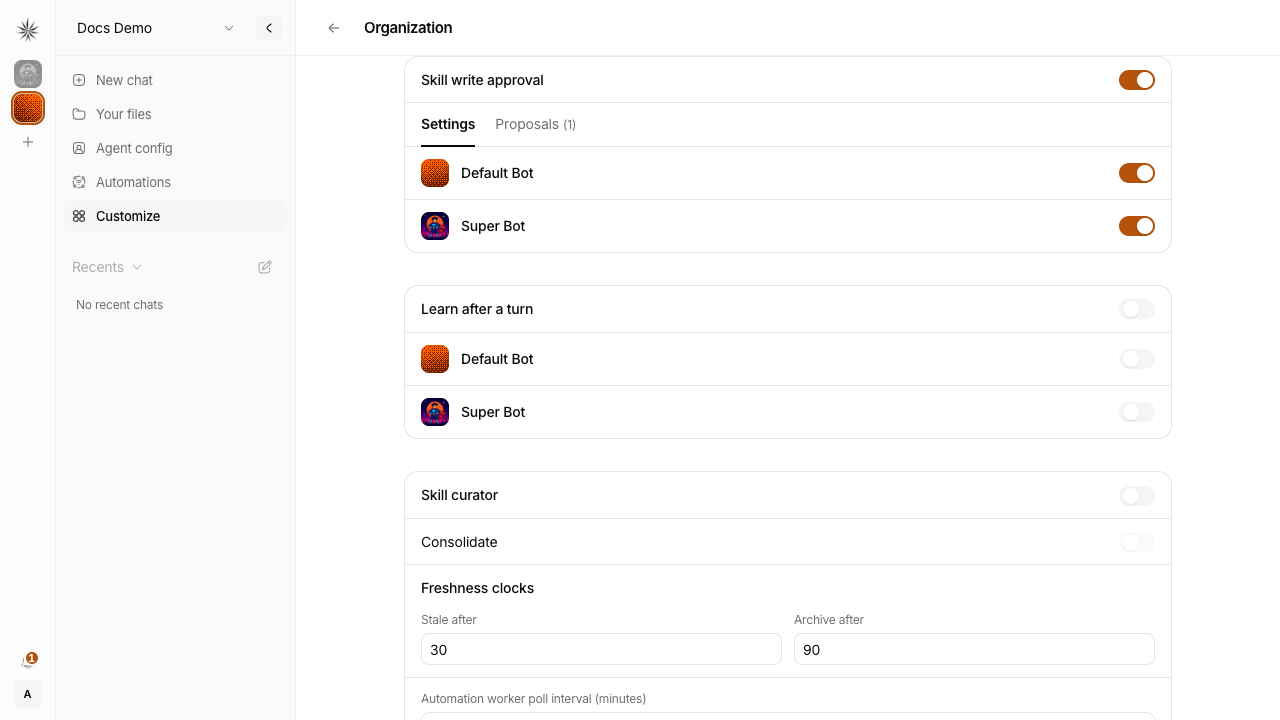
When the gate is off, nothing changes — agents update skills directly, as before.
Review proposals
When approval is required, agents still propose skill changes during chat. Those proposals appear under Proposals on the same card (or via a notification link).
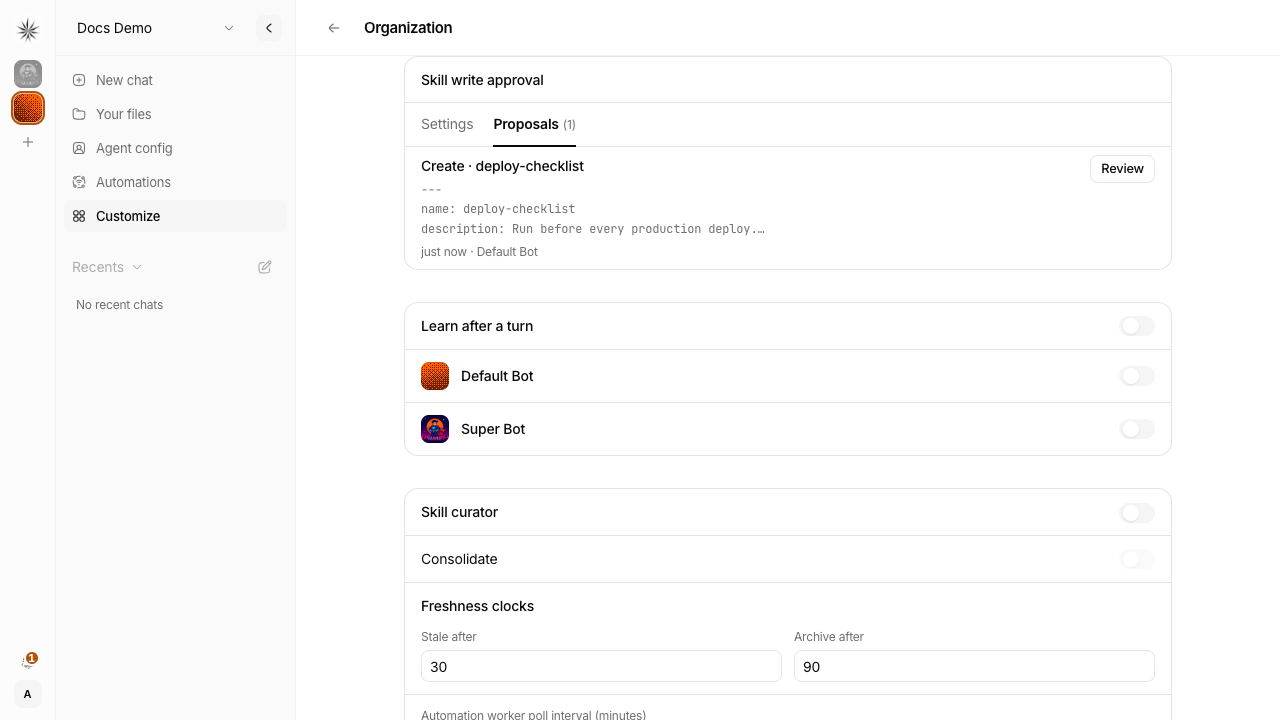
Open Review to see the full skill content (or the before/after for an edit). Approve applies the change; Reject discards it with no effect on live skills.
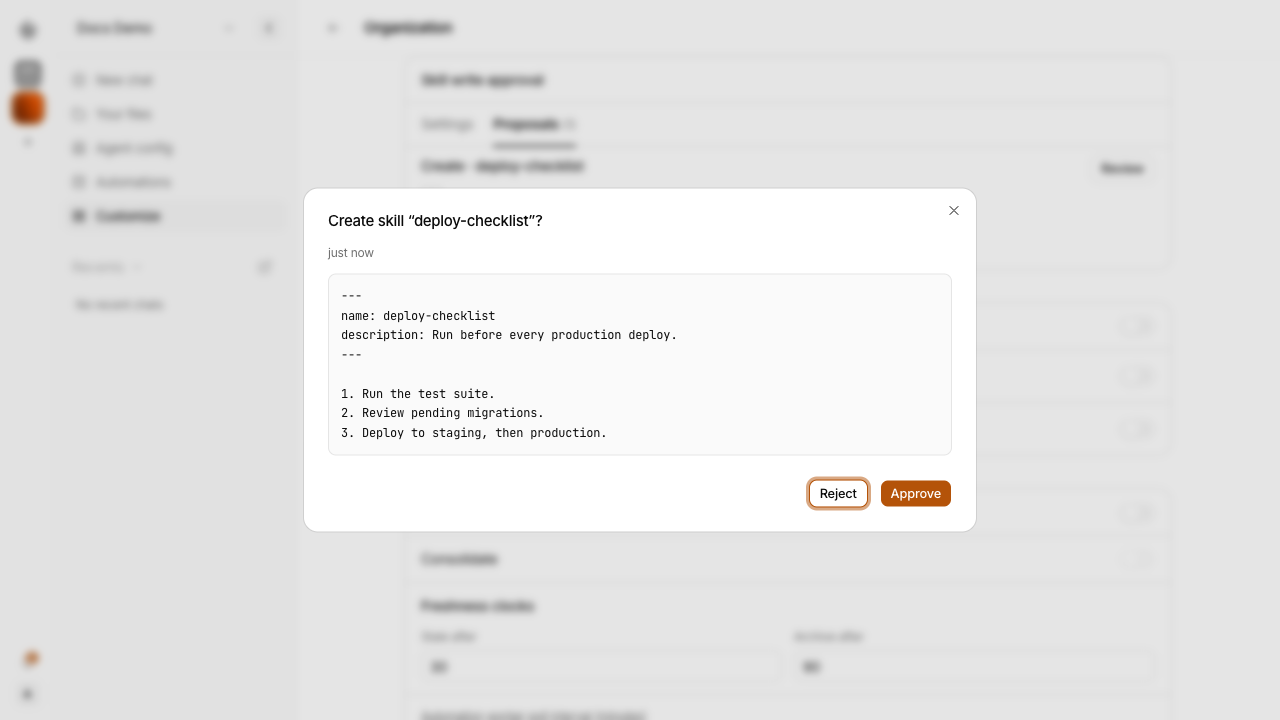
Nakama flags suspicious patterns in proposals the same way it does for org memory — worth a closer look before approving.
Platform admins managing a specific bot can also open Agent, select the profile, and use the Proposals tab.
Learn after a turn (optional)
In-session saves can still miss a good workflow: the agent finishes a long tool-heavy turn and never crystallizes a skill. Learn after a turn is an opt-in safety net for that case.
Turn it on
Org admins: Control center → Workspace → Organization, on the Learn after a turn card (next to Skill write approval). Platform admins can also flip it on after opening Agent and selecting the profile.
- Default is off (no extra review pass).
- Optionally override per profile: flip that profile's switch. Use org default follows the org again.
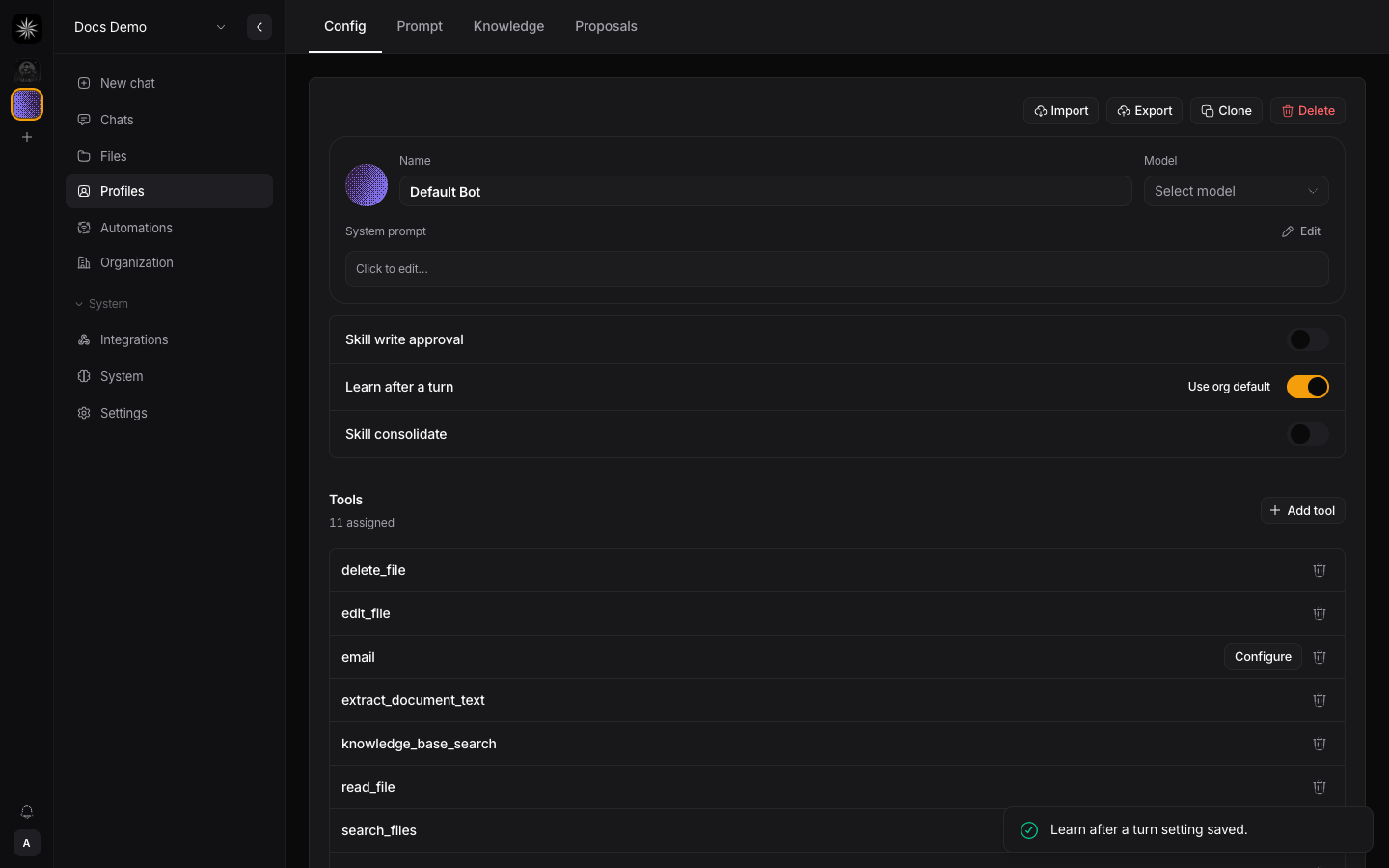
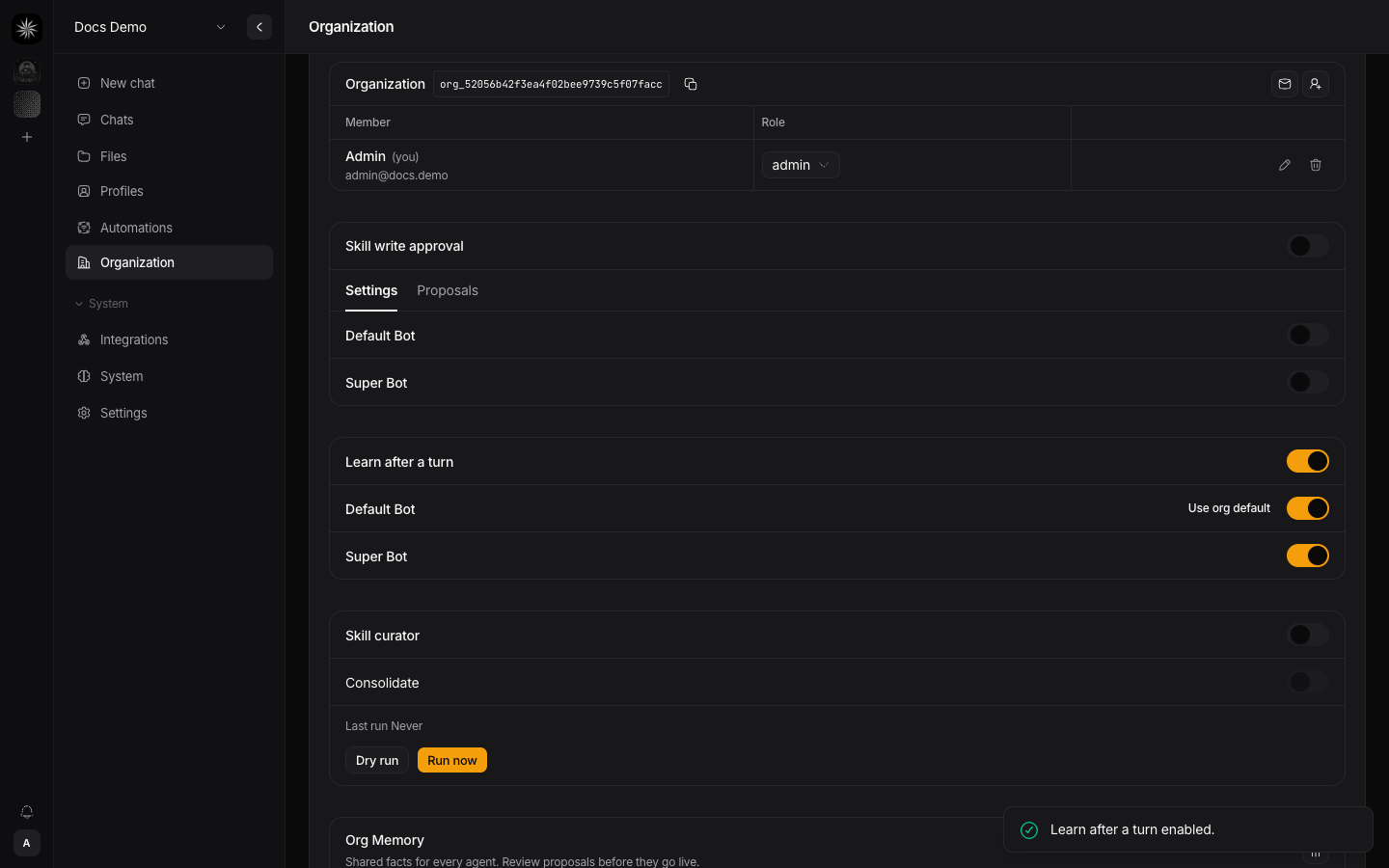
When enabled, after a successful turn in an interactive chat (web, CLI, Discord, Telegram, WhatsApp, or Slack) that looks complex (many tool calls, or a tool error recovery) — and only if the agent did not already save a skill that turn — Nakama runs a lightweight background review. Chat is not blocked while that runs. It uses an extra model call on eligible turns, so leave it off unless you want the safety net.
What you see (review × write approval)
| Write approval off | Write approval on | |
|---|---|---|
| Learn after a turn off | No background pass | No background pass |
| Learn after a turn on | Chat shows a suggestion with preview + Apply — nothing is written until you Apply | Review stages a proposal; chat shows a pending-admin notice; live skill waits for org-admin approve |
Unlike some other agents that auto-write skills in the background when approval is off, Nakama never silent-writes from Learn after a turn. Gate off means you still choose Apply; gate on means an admin must approve.
Suggestions appear as a chat UI card (not as a message in the conversation history the model will see next turn). Ignore a suggestion by leaving it; there is no separate reject queue for suggestions.
Who can do what
| Role | Chat and trigger skill updates | Apply after-turn suggestions | Approve or reject proposals | Change gate / review settings |
|---|---|---|---|---|
| Org admin | Yes | Yes | Yes | Yes |
| Org member | Yes | Yes | No | No |
| Org viewer | No (read-only chat) | No | No | No |
| Platform admin | Yes | Yes | Yes | Yes |
Skills vs org memory
Both help agents stay consistent across your team, but they solve different problems:
| Profile skills | Org memory | |
|---|---|---|
| What it stores | Repeatable workflows for one bot | Shared facts for the whole org |
| Example | "How we triage support tickets" | "Support hours are 9–6 SGT" |
| Who approves agent writes | Optional — only when write approval is on | Always — members propose, admins approve |
| Where admins manage it | Control center → Workspace → Organization → Skill write approval | Control center → Workspace → Organization → Org Memory |
Use org memory for facts everyone should know. Use skills for how a specific bot should run a task.
See which skills are used
After your team has been chatting for a while, you may wonder which skills actually help and which just sit on the shelf. Nakama tracks that automatically for each assigned skill on a profile.
Open Agent, select a bot, and scroll to Skills. Each skill shows a short hint such as Last matched 2 days ago · 5 uses, or Never matched when it has not been selected for a turn yet. Skills with no match for the configured stale interval (30 days by default) get an Unused badge. Bundled system skills (shipped with Nakama, such as manage-skills and save-artifact) never get the Unused badge; they stay assigned by design.
Click a skill to open its detail dialog for the full breakdown:
- Created by — whether the skill came from an agent, a human admin, or the bundled library
- Catalog views — how often the skill appeared in the bot's skill list during chat (counted once per chat session)
- Matches — how often the skill was actually used on a user message
- Updates — how often the skill content was patched (including after an approved proposal)
These numbers update during web and CLI chat. They do not change from Telegram, WhatsApp, Discord, Slack, or automations — those channels do not run the skill-authoring flow today.
Skill curator (optional)
When a profile collects unused playbooks, the catalog gets noisy and wastes tokens. The skill curator is an opt-in janitor for agent- and human-authored profile skills.
What it does
- Stale (30 days by default): listed in the last report. Files stay in place. Org admins can choose a different stale interval.
- Archive (90 days by default): the skill folder is moved, never deleted, to
~/.nakama/orgs/{orgId}/profiles/{profileId}/skills/.archive/(or$NAKAMA_CONFIG_DIR/orgs/...if you set that). The skill is unassigned so it leaves the chat catalog. Org admins can choose a different archive interval. Restore UI is not in this release: move the folder back toskills/, then assign it on the profile again. - Unused means match or patch, not a catalog view: the configured stale/archive clock uses last match or last update. Catalog views do not reset it.
- Never-matched grace: a skill with no matches is judged from when it was created, so a brand-new skill is not archived.
- Skipped: bundled / library skills, and any skill on a profile that has an enabled automation (usage is not recorded on those runs yet).
Default is off. The first scheduled pass after you enable it only records a baseline (no archives). After that, a live pass runs about every 7 days. Write approval does not block curator archives — they are an admin/system action, not an agent edit.
Turn it on
Org admins: Control center → Workspace → Organization → Skill curator.
- Set Freshness clocks. Defaults are 30 days stale and 90 days archive; stale must be before archive.
- Set Automation worker poll interval if this installation needs a different schedule reload cadence. It is workspace-global and defaults to 5 minutes.
- Flip the toggle to enable the weekly pass.
- Dry run writes a preview report without moving files.
- Run now archives eligible skills immediately (not deferred to the next weekly window).
The card shows last-run time and counts (stale / archived / skipped).
Consolidate overlapping skills (optional LLM)
A second opt-in toggle — Consolidate overlapping skills — runs after the archive pass on the same schedule. It uses an LLM to merge near-duplicate agent-authored skills and to tighten noisy solo skills. Bundled, hub, and human-authored skills are never touched.
- Both flags required: org curator on, and consolidate on (org and profile). Profile can inherit org or override.
- Write approval polarity differs from archive: when skill write approval is on, consolidate stages an edit proposal for admin review instead of writing immediately. When approval is off, the merged skill is applied and losers are archived + unassigned. Curator archives still bypass write approval; consolidate does not.
- Dry run lists consolidate candidates only — no LLM call and no writes.
- Merge losers are archived under
skills/.archive/and unassigned (never hard-deleted). Approving a consolidate proposal archives those losers the same way.
Related
- Skills — what skills are, how to assign them, and manual authoring
- Org memory — shared facts and proposal review
- Profiles — per-bot identity, memory, and tools