Telegram
Troubleshooting
Check the worker logs first
When the bot is silent or behaving wrong, the fastest clue is the bridge worker's own log output.
- Open Agent → your agent → Channels → Telegram
- After an account links, select More → View logs
- Switch to the Stderr tab
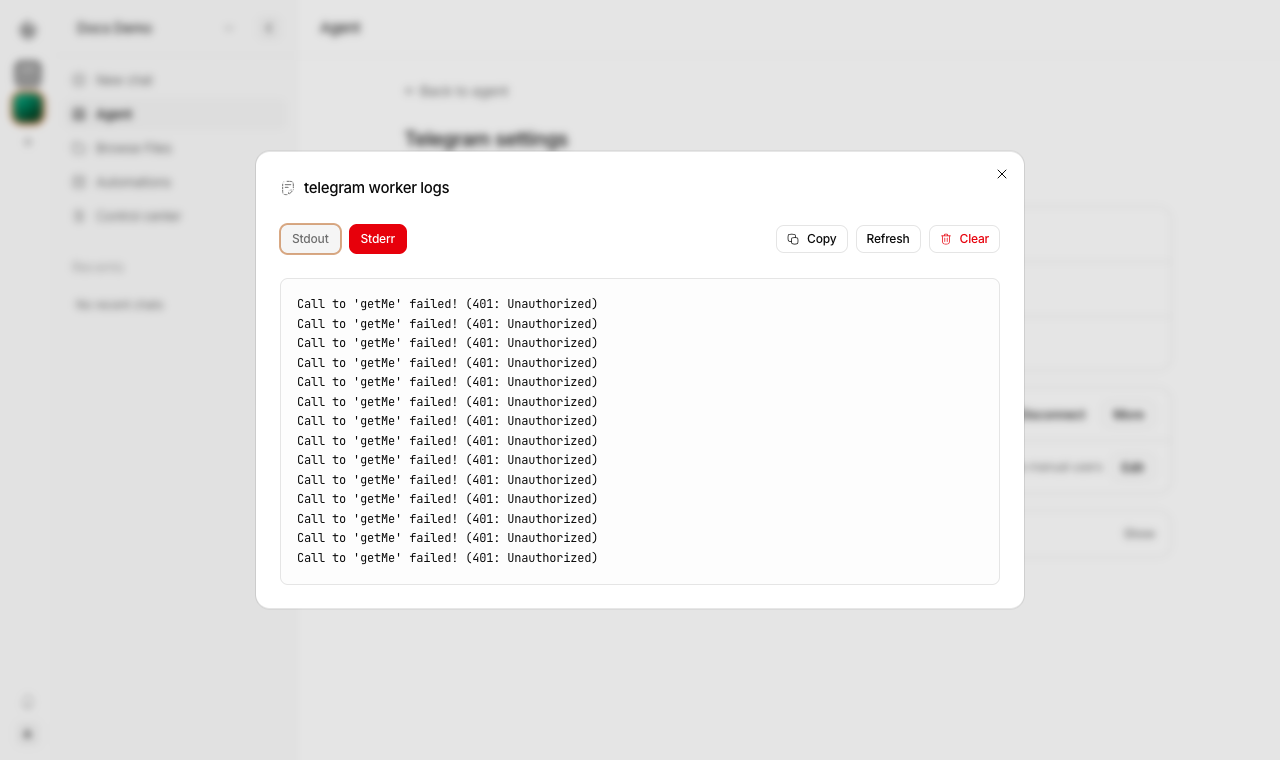
The stderr stream shows what the bridge worker could not do. For example, a bad or expired bot token shows up as a repeated 401: Unauthorized from Telegram:
Common things you will spot here:
Call to 'getMe' failed! (401: Unauthorized)— the bot token is wrong, expired, or was revoked in@BotFather. Paste a fresh token and Save.Telegram is not configured— no bot token is saved yet, or the worker started before you saved one. Restart the worker after saving.Another Nakama Telegram bridge is already running— a second bridge is running (often a leftoverbun run dev:telegramor a stale PM2 process). Stop the other one before restarting.
Use Refresh to pull the latest lines, Copy to grab the output for a bug report, and Clear once you have fixed the issue so the next run starts from a clean log.
The bot does not answer at all
Check these first:
- The bot token is saved correctly
- The owning profile's Telegram worker is running
- The Nakama server is running
- The Telegram user is paired or allowlisted
Private chat works but group chat does not
Usually one of these is true:
- Group Privacy is still enabled
- the bot was added before Group Privacy was changed
- the bot was not removed and re-added
- the message was not a command, reply, or direct mention
Mentions do not work in groups
Check these:
- Disable Group Privacy in
@BotFather - Remove the bot from the group and add it again
- Make sure only one worker is running for this bot
Telegram says the chat is not linked
This usually means:
- the user never sent the pairing code
- the pairing code expired or was replaced
- the message was sent in a group instead of a private chat
Generate a new pairing code from Agent → your agent → Channels → Telegram and send it to the bot in a private chat.